

AI News
  • HOME
  • BLUEPRINTS
  • SALES
  • TOOLS
  • OPS
  • GUIDES
  • STRATEGY
  • ENGINEERING
No Result
View All Result
SAVED POSTS
AI News
  • HOME
  • BLUEPRINTS
  • SALES
  • TOOLS
  • OPS
  • GUIDES
  • STRATEGY
  • ENGINEERING
No Result
View All Result
RANK SQUIRE
No Result
View All Result
A 3D illustration representing what is a webhook, showing a digital nervous system transmitting a signal instantly versus a slow polling loop.

The Digital Reflex: A Webhook is the nervous system of your business, reacting instantly without asking permission.

What is a Webhook? The Nervous System of AI Agents

Mohammed Shehu Ahmed by Mohammed Shehu Ahmed
January 6, 2026
in OPS
Reading Time: 8 mins read
2
590
SHARES
3.3k
VIEWS
Summarize with ChatGPTShare to Facebook

The Executive Summary

  • The Problem: Hustlers use polling checking for data every 15 minutes, which makes automation slow and expensive.
  • The Solution: Using webhooks instant data transmission that acts like a digital reflex.
  • The Outcome: Your AI Agents react in real time 0 seconds latency and you stop paying for empty checks.

Introduction: Stop Asking Are We There Yet?

What is a webhook? Understanding it is the technical barrier that separates the clickers from the Architects.

If you are using standard Zapier triggers, you are likely using polling. Imagine a child in the back seat asking, are we there yet? every 5 minutes. That is polling. It wastes energy and money.

Webhooks are different. A Webhook is the driver tapping the child on the shoulder the second they arrive.

In our Agentic AI Architecture, we defined the perception layer which is the eyes. If your AI cannot feel data the moment it happens, it is blind. To build the AI sales agent, you cannot wait 15 minutes for a lead. You need to strike while the iron is hot.

This is the definitive guide to the nervous system of your automation.

Table of Contents

  • The Executive Summary
  • Introduction: Stop Asking Are We There Yet?
  • The Anatomy: What is a Webhook Actually?
    • Why Architects Prefer Webhooks
  • How to Use Webhooks. The Handshake
    • Step 1: Create the Listener, this is called the Ear
    • Step 2: Configure the Sender. That is the finger here.
    • Step 3: The Test
  • Webhooks in the Wild: Real Use Cases
  • Conclusion
  • Frequently Asked Questions (FAQ)
  • From the Architect’s Desk

The Anatomy: What is a Webhook Actually?

Technically, a webhook is just a digital doorbell. When an event happens in App A, e.g., Stripe Payment, it instantly rings the doorbell of App B e.g., Make.com and drops off a package of data JSON.

The Architect’s Definition: Polling is pulling data periodically. Webhooks are pushing data instantly.

Why Architects Prefer Webhooks

  1. Speed: Latency drops from 15 minutes to 0.1 seconds.
  2. Cost: In tools like Make vs Zapier vs n8n Review, polling costs you money every time it checks even if no data is there. Webhooks only cost money when data actually moves.
  3. Efficiency: It reduces API load, preventing you from hitting rate limits.
Technical comparison chart answering what is a webhook: showing Polling as a circular clock loop and Webhook as a direct instant arrow.
Polling asks, Are we there yet? Slow. Webhooks say We have arrived Instant.

How to Use Webhooks. The Handshake

Visualization of two software applications performing a webhook handshake, connecting a data pipe securely.
The Handshake: Connecting the Ear which in this case is Make.com to the Finger, your CRM.

Implementing a webhook requires a simple Handshake between two apps.

Step 1: Create the Listener, this is called the Ear

In Make.com, you drag in a Custom Webhook module. It gives you a unique URL, e.g., https://hook.make.com/xyz. This is your doorbell address.

Step 2: Configure the Sender. That is the finger here.

Go to your source app, e.g., Calendly, Stripe, Typeform. Find developer settings or integrations. Paste your Make URL into the Webhook URL field.

Step 3: The Test

Trigger an event, Book a meeting. Your Make scenario will instantly wake up.

Warning for Architects: Some platforms like old CRMs do not support webhooks. In those rare cases, you must use polling. But for 95% of modern tools, webhooks are mandatory for the P.M.A. Protocol.

Webhooks in the Wild: Real Use Cases

How does this apply to your business?

  • The Sales Agent: Instead of checking your CRM every hour for new leads, a webhook instantly triggers your AI Sales Agent the second a form is submitted on your website.
  • The Support Agent: A webhook notifies your AI immediately when a urgent ticket lands in Zendesk, allowing for a 10-second response time.
  • The Finance Bot: Stripe sends a Webhook upon payment failed, triggering an instant SMS to the customer before they leave your site.

Conclusion

So, what is a webhook? It is the difference between a sluggish, reactive business and a real time, proactive Enterprise.

If you want to move up the Automation Maturity Curve, you must stop Polling and start Listening. Your AI is only as fast as its nervous system.

Frequently Asked Questions (FAQ)

  • What is a webhook vs API? An API is like a phone call you make to ask for data. A Webhook is a text message the app sends you automatically when something happens.
  • Are webhooks secure? Yes, but you should use Secret Keys to verify the data is coming from a trusted source, especially in sovereign tools like n8n.
  • Do webhooks cost money? The webhook itself is usually free. However, the automation platform like Make or Zapier counts the processing of the webhook as an operation.

From the Architect’s Desk

Mohammed Shehu Ahmed, lead architect, working on a complex webhook automation workflow on multiple monitors at night.
The shift from user to developer happens the moment you stop fearing the code.

When I first started, I was scared of Webhooks. They looked like code. I stuck to Zapier’s pre made triggers because they felt safe. But I realized I was building a laggy business. My leads were waiting 15 minutes for a welcome email. In 2026, 15 minutes is an eternity.

Mastering the Webhook was the moment I stopped being a User and became a Developer.

Join the conversation: Are you still Polling, or have you switched to Webhooks? Let me know in the comments!

SummarizeShare236
Mohammed Shehu Ahmed

Mohammed Shehu Ahmed

Mohammed Shehu Ahmed SEO-Focused Technical Content Strategist
Agentic AI & Automation Architecture 🚀 About Mohammed is an AI-first SEO strategist specializing in automation architecture, agentic AI systems, and emerging technologies. With a B.Sc. in Computer Science (Dec 2026), he creates implementation-driven content that ranks globally. 🧠 Content Philosophy “I am human first. Not a generalist content writer. I am your AI-first, SEO-native content architect.”

Related Stories

A conceptual illustration showing a funnel filtering thousands of grey leads into a few glowing gold leads using an algorithm.

Real Estate Lead Scoring Models: Architect Guide 2026

by Mohammed Shehu Ahmed
February 6, 2026
2

EXECUTIVE SUMMARY The Problem: Most real estate teams operate on LIFO, Last In, First Out. They call the newest lead, regardless of quality. This means your best agents...

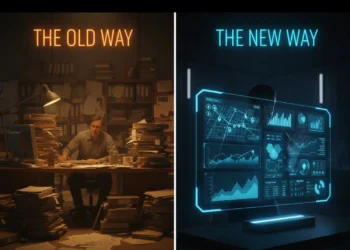
A split screen comparison showing a chaotic manual office versus a sleek automated dashboard running a real estate brokerage.

Real Estate CRM Automation: Architect Guide 2026

by Mohammed Shehu Ahmed
February 6, 2026
1

EXECUTIVE SUMMARY The Problem: The average real estate CRM is a Digital Graveyard. It is full of duplicate contacts, messy notes, and tasks that are 400 days overdue....

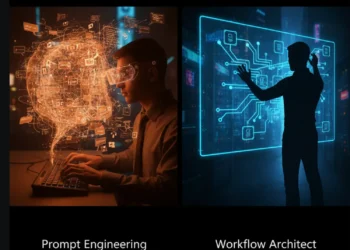
A split-screen comparison showing a Prompt Engineer relying on chaotic chat text versus an AI Workflow Architect building a structured, node-based automation logic graph.

AI Workflow Architect: Enterprise Automation Architecture (2026)

by Mohammed Shehu Ahmed
January 21, 2026
1

EXECUTIVE SUMMARY The Problem: The Prompt Engineer was a transitional role. Relying on someone to talk nicely to a chatbot is not a business strategy; it is a...

A conceptual illustration showing a glass ceiling breaking as a business migrates from Zapier to scalable alternatives like n8n or Make.

Zapier Alternatives for Scale: The Enterprise Switch (2026)

by Mohammed Shehu Ahmed
January 21, 2026
3

EXECUTIVE SUMMARY The Problem: Zapier is the Gateway Drug of automation. It is easy to start, but financially punishing to scale. Once you hit 50,000 tasks/month, the pricing...

Next Post
Abstract visualization of the Clay vs Apollo debate: a heavy, blunt hammer Apollo versus a precise, laser-guided scalpel Clay on a dark tech background.

Clay vs Apollo: The B2B Data Enrichment Showdown (2026)

Comments 2

  1. Pingback: Best Vector Database For AI Agents: The 2026 Comparison | RankSquire | Agentic AI Automation & Operations Blueprints
  2. Pingback: Agentic AI Architecture: The Proven 2026 Blueprint

Leave a Reply Cancel reply

Your email address will not be published. Required fields are marked *

RankSquire Official Header Logo | AI Automation & Systems Architecture Agency

RankSquire is the premier resource for B2B Agentic AI operations. We provide execution-ready blueprints to automate sales, support, and finance workflows for growing businesses.

Recent Posts

  • Pinecone vs Weaviate 2026: Engineered Decision Guide
  • Best Self-Hosted Vector Database 2026: Privacy & Architecture
  • Best Vector Database for RAG 2026: Architect’s Guide

Categories

  • ENGINEERING
  • OPS
  • SAFETY
  • SALES
  • STRATEGY
  • TOOLS

Weekly Newsletter

  • ABOUT US
  • AFFILIATE DISCLOSURE
  • Apply for Architecture
  • CONTACT US
  • EDITORIAL POLICY
  • HOME
  • Privacy Policy
  • TERMS

© 2026 RankSquire. All Rights Reserved. | Designed in The United States, Deployed Globally.

Welcome Back!

Login to your account below

Forgotten Password?

Retrieve your password

Please enter your username or email address to reset your password.

Log In
No Result
View All Result
  • HOME
  • BLUEPRINTS
  • SALES
  • TOOLS
  • OPS
  • GUIDES
  • STRATEGY
  • ENGINEERING

© 2026 RankSquire. All Rights Reserved. | Designed in The United States, Deployed Globally.