



The Executive Summary
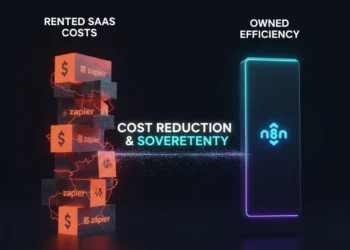
- The Conflict: SaaS automation tools like Make and Zapier charge you a success tax. The more you automate, the more you pay.
- The Solution: Self-Hosted n8n guide. You pay for the server fixed cost, not the executions variable cost.
- The Stack: We will build a Sovereign Automation Stack using Coolify and a $20 VPS.
Introduction: The SaaS Rent Trap
Imagine if your email provider charged you 1 cent for every email you sent.
You would stop sending emails. You would hesitate before hitting send.
This is exactly what Make vs Zapier does.
They charge you per Operation.
- Want to sync 10,000 CRM records? That will cost you $50.
- Want to loop through a JSON array? That will cost you $20.
As an Agency, this kills your margins.
If you are serious about AI Sales Agent, you need to run millions of operations per month. On Make.com, that costs $1,000+.
On Self Hosted n8n, it costs $20.
This guide is your exit strategy.
Table of Contents
Why You Need a Self-Hosted n8n Guide (The Math)

Let’s look at the cost of scale for an agency running 500,000 tasks per month.
When comparing n8n vs make pricing, remember: Make scales linearly more tasks = more money, while n8n scales vertically, more tasks = same money, just upgrade RAM.
| Metric | Make (Team Plan) | Zapier (Professional) | n8n (Self-Hosted) |
| Cost | ~$300/mo | ~$500/mo | ~$20/mo (Server Cost) |
| Executions | Capped | Capped | Unlimited |
| Data Privacy | Shared Cloud | Shared Cloud | Private (Your Server) |
| Latency | Variable | Variable | Fast (Local Network) |
The Fair Code Note:
n8n is Source Available.
You can use it for free for your internal business workflows.
- Allowed: You build an automation that leads to a sale for your agency.
- Allowed: You manage a server for a client and they pay you a retainer.
- Not Allowed: You resell n8n access as a SaaS product, e.g., Login to my platform without an Enterprise license.
The Sovereign Stack: A Complete Self-Hosted n8n Guide
In the old days 2023, self hosting was hard. You needed to know Linux terminal commands and Nginx configs.
In 2026, we use Coolify.
The Stack:
- Infrastructure: DigitalOcean or Hetzner (VPS).
- Orchestrator: Coolify, the open source, like Heroku.
- Application: n8n, Docker Image.
- Database: Postgres for stability.
Step 1: Buy the Iron
Do not overthink this. You need a Linux server like Ubuntu 24.04.
- Provider: Hetzner is more cheapest or DigitalOcean the easiest one.
- Specs: 4GB RAM / 2 vCPU. Do not get 1GB RAM; n8n is memory hungry.
- Cost: Approx $15 – $20 USD/month.
Step 2: Install Coolify
Coolify is a dashboard that lets you install apps with one click.
SSH into your new server and run the Coolify install script.
I won’t paste the code here check the Coolify docs for the latest curl command.
Once installed, you log in via your browser. No more terminal.
Step 3: The One Click n8n Deploy
Inside Coolify:
- Click Add Resource.
- Search for n8n.
- Select n8n + Postgres.
- Hit Deploy.
Coolify will automatically spin up a Docker container for n8n and a separate one for the database. It handles the SSL certificates (HTTPS) automatically.
⚠️ Architect’s Warning: Persistent Volumes
Coolify handles this by default, but always double check your configuration. Ensure your Postgres data folder is mapped to a Persistent Volume. If you don’t, and the container restarts, your workflow history and credentials will vanish.
The Queue Mode Secret
If you start scaling to 50+ concurrent executions, your n8n instance might crash.
Why? Because Node.js is single-threaded.
The fix is Queue Mode.
In Coolify, you add a Redis container.
Then you tell n8n to send jobs to Redis instead of processing them instantly.
This allows you to add worker nodes.
- Main Node: Handles the Webhooks and UI.
- Worker Nodes: Do the heavy lifting, Data processing.
Agency Tip: Start with the default Monolith setup. Only switch to Queue Mode when you hit 80% CPU usage.
Conclusion: Own Your Infrastructure
There is a feeling of power that comes when you cancel your $300/month Make subscription.
You realize that you own the machine.
You can run a loop 10,000 times just to test a regex, and it costs you $0.00.
If you are an automation agency, you are not just a configurator. You are an Architect.
Architects build on their own land.
Frequently Asked Questions (FAQ)
- Is n8n really free? The Community Edition is free for internal business use. You still pay for the server hosting it.
- Is it hard to update? With Coolify, you just click a Redeploy button to pull the latest version. It takes 30 seconds.
- Can I use n8n for client work? Yes, as long as you aren’t reselling the software itself. You are selling your services as an automation expert.
From the Architect’s Desk
I remember the day I migrated my, lead scoring system from Make to n8n.
On Make, I was paying $450/month because I was processing 20,000 leads and doing 5 API lookups per lead.
I moved it to a $20 Hetzner box.
The first night, I watched the logs fly by. 100,000 executions processed.
Cost: $0.00.
That was the day I stopped being a user and started being an engineer.
Join the conversation:
Are you still paying the Success Tax on Make.com? What is the one automation you would build if you had unlimited executions? Let me know below.
THE ARCHITECT’S CTA
Stop being a Hustler. Become the Architect.
Every automation I build is bespoke, real, and ready to scale your business. No demos, no templates just results. Apply to work with me today → Application Form.




Comments 4